
Business Email Availability vs Verification: A Buyer’s Guide
A business list can contain 10,000 business records and far fewer usable email contacts. Before comparing prices, separate three questions: how many businesses match your market, how many have an email on file, and which of those addresses are suitable for the campaign you intend to run. Each question needs its own evidence.
This guide explains the difference, shows how to review a sample, and describes the contact fields available in Leadz as reviewed on September 23, 2026. The worked numbers below are illustrative; they are not an accuracy claim or a report of customer results.
What each number actually tells you
Use the business count to size the research pool. Then review individual branches, available contact fields and business fit to identify the accounts suitable for the campaign.
Email availability means an email field is present. A record with several addresses still represents one business. An email count can therefore mean either businesses with at least one address or the total number of addresses. Ask which definition a vendor uses before comparing two percentages.
Verification assesses the address itself: its format, domain or apparent ability to receive messages, depending on the service. Read the method and result definitions, then review the recipient's role, expectations and fit for your offer. Delivery also depends on the message and sending setup.
Measure | Useful question | What it does not establish |
|---|---|---|
Business records | How many accounts can I research? | Number of distinct people |
Businesses with email | How much of this pool has an email route? | Number of deliverable addresses |
Addresses per business | Are there alternative contact routes? | Whether each address reaches a different person |
Technical email result | Is the address suitable for further review? | Buyer fit or permission |
Person and role information | Who might be associated with this address? | Current authority at a particular branch |
Campaign results | Did this audience respond to this message? | How another audience or offer will perform |
For the broader account-selection process, start with the business database guide. This article focuses on the contact evidence inside that database.
Read coverage using the right denominator
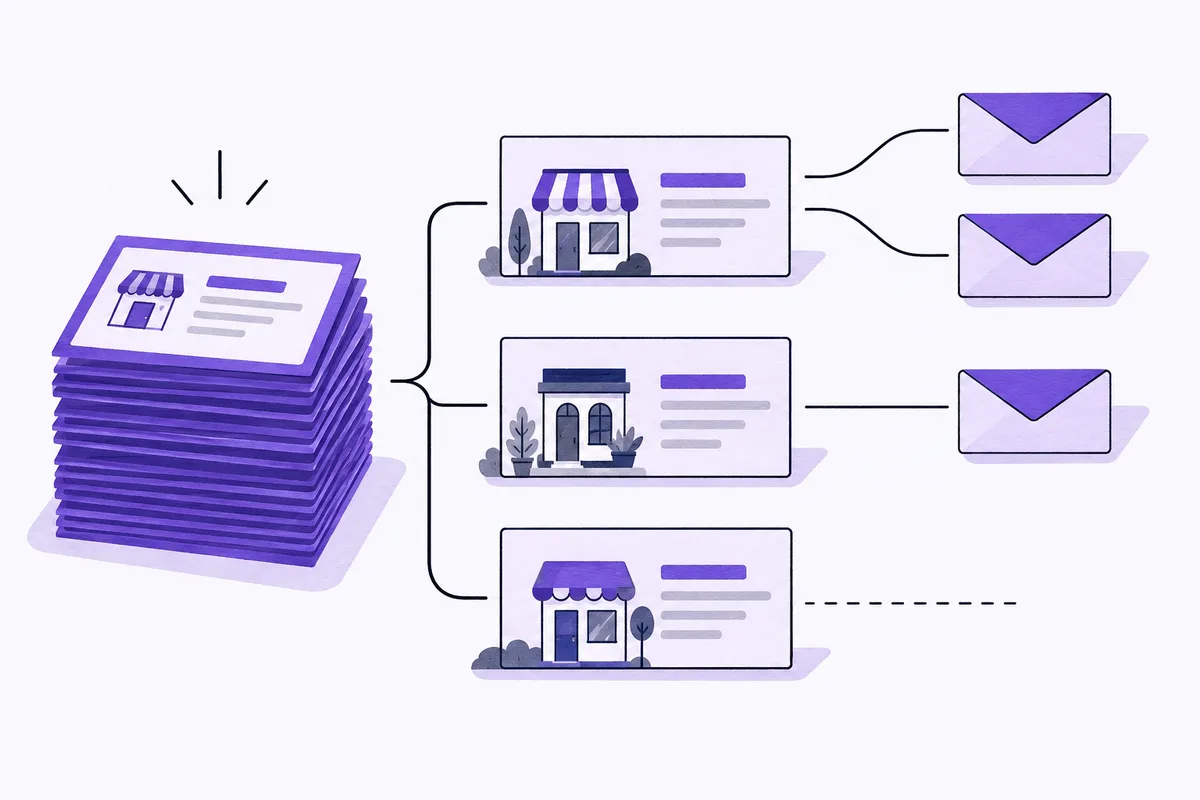
Imagine a sample containing 200 business records. Seventy have at least one email. Together those 70 businesses contain 92 addresses.
Email availability at the business level is 70 divided by 200, or 35%. It is not 46%, the result of dividing 92 addresses by 200 businesses. The second calculation mixes addresses with accounts and answers a different question.
Now suppose your team excludes 40 businesses because they serve the wrong market. Of the 160 remaining businesses, 56 have an email. Your relevant-account email availability is also 35%, but it is based on a smaller, reviewed audience. Keep that count alongside the original sample result. Otherwise a colleague may assume you can contact all 70 email-bearing businesses.
Finally, suppose 43 distinct addresses pass your specified technical checks. Those 43 addresses may belong to fewer than 43 businesses.
The point is to keep an audit trail through each decision. A simple sheet can have columns for initial records, relevant businesses, businesses with email, distinct addresses, excluded addresses and the reason for each exclusion. The sample-review guide explains how to select the records you inspect.
Small samples also need restraint. Finding seven suitable accounts in ten records does not prove that 70% of a national database will fit. Try a broader sample across the territories and subcategories you actually intend to use. Record the selection rule so a later comparison does not quietly use a different population.
Check what the contact belongs to
An email can belong to a shared office inbox, an individual, a group headquarters or an external service managing enquiries. The part before the @ symbol is a clue, not reliable proof. A mailbox named after a person does not establish their current role, and a mailbox called sales may still be the appropriate route for a supplier enquiry.
Begin with the business website. Confirm that the company advertises the service you selected it for. Look for the stated enquiry route, office location and any purchasing or partnership instructions. For multi-location businesses, decide whether you need the branch, the parent organization or both.
Consider a hypothetical supplier selling maintenance software to dental groups. A local practice may be a good operational fit while purchasing decisions sit with the group. Sending the same proposal to every branch creates unnecessary duplication. Record the parent relationship, check the role evidence and decide who owns the account before writing the message.
The same distinction matters in professional databases. A list of dental practices describes business accounts. It is not automatically a list of named dentists, patients or procurement managers. The practice-records versus physician-contacts guide explores that difference for healthcare prospecting.
What Leadz exports can include now
The main Leadz CSV export offers business fields alongside person information associated with individual email addresses, where available. Optional columns include contact names, reported roles and LinkedIn profiles by email, plus a structured email-profile field. Use those associations to decide which person or inbox needs further review.
Keep each profile attached to its matching email. If a row has a shared office inbox and a named person's address, retain them as separate contact routes, with the person's name and role alongside the named address.
A blank person field means the export does not have that information available for the record. It should remain blank until you have evidence. Guessing a role from a company name or filling an empty name from another branch makes the spreadsheet look complete while making it less dependable.
You can select the columns relevant to the task. An account-research sheet may need business name, category, location and website. A reviewed contact handoff may also need the email-associated names and roles. The CSV field guide covers the available columns and how to retain their relationships during import.
Review the actual exported file before estimating campaign volume. Filters, selected columns, plan access and available credits affect the result. A public category total is useful browsing context; the rows you receive are the material your team can inspect and work with.
Treat deliverability as a campaign responsibility
Prepare the sending program alongside the contact list. Receiving systems assess the sender, authentication, message and recipient response, so assign those checks to whoever operates your email system.
As checked for this revision, Google's sender guidance requires authentication for senders to personal Gmail accounts and additional measures for bulk senders. Google advises keeping its reported spam rate below 0.10% and avoiding 0.30% or higher. These are sending-health thresholds, not acceptable bounce rates or predictions for a purchased list. Its guidance also advises against buying addresses or messaging people who did not subscribe. Check your platform's rules and the requirements applicable to your audience before deciding how to use a contact.
A useful review therefore has two owners: someone checks account and recipient fit, and someone checks the proposed communication and sending setup. In a small team, one person may do both. The decisions still need to happen separately.
Start with a small, reviewed audience and inspect actual outcomes. Separate permanent failures, temporary failures, automatic replies, opt-outs and substantive responses. Do not treat every server acceptance as inbox placement. The campaign-metrics guide explains how to keep those denominators distinct.
A practical checklist before committing to a larger list
Ask for a sample that reflects your intended market rather than only the provider's strongest category. If you plan to work in two states, inspect both. If your offer fits commercial contractors, do not evaluate the sample solely on broad contractor labels.
Write down the purchase criteria before reviewing it. For example: the business must advertise commercial work, serve a territory you cover, have an appropriate contact route and be absent from your suppression list. These are your criteria, not a universal quality standard.
Inspect the reason for every rejection. Wrong category, stale business details, duplicate branch, missing contact route and unsuitable recipient are different problems. A single rejection percentage hides the changes you could make. You might improve the list by changing the category or territory, while another issue requires more detailed contact research.
Compare the cost of usable accounts, not just rows. In an illustrative comparison, a $100 file producing 20 relevant, usable accounts costs $5 per account before staff time. A $150 file producing 50 costs $3. Add research time, cleanup and any verification expense before deciding which option supports your process. Neither number is a market benchmark.
Save the sample, the date, the rules and the result. When you return a month later, you should be able to explain why the team accepted the list and what still needed checking. That record is more valuable than an unexplained promise of high accuracy.
Questions buyers often ask
Does an email address mean a business is contactable?
It means an email route is on file. Whether it is the right route depends on the business, recipient, intended message and current address status. Some businesses may be better approached through their stated enquiry form, phone line or existing professional relationship.
Is a named contact always better than a shared inbox?
No. A named person who has changed roles may be less useful than the current purchasing or partnership inbox published by the business. Judge the route against your purpose and the strength of the evidence. Keep names and roles tied to the address they describe.
How often should I recheck a list?
Review it before a new campaign and after changes that make the old review unreliable, such as a long delay, changed territory, new offer or repeated contact failures. There is no universal interval that makes every record current. Retain your previous findings so fresh imports do not restore excluded or opted-out contacts.