
How to Choose Lead Generation Tools for a Small B2B Team
Choose lead generation tools by the work your team needs to complete: finding suitable businesses, identifying useful contact routes, managing follow-up and measuring sales. Start where the work stalls. A team missing follow-ups needs clear ownership; a team researching the wrong businesses needs better audience selection.
This purchasing framework is for a small B2B team evaluating its next tool. Product examples draw on documented capabilities checked on September 23, 2026. The sample exercises and cost calculations use hypothetical inputs.
Write the buying brief before booking demonstrations
Describe one campaign in terms a colleague could repeat. “Find more leads” leaves too much room for an impressive demonstration with the wrong data. “Find plumbing businesses in the territories our equipment distributor serves, review their advertised services, and assign approved prospects to two salespeople” gives the evaluation a useful boundary.
Decide whether your unit of work is a business, a location or a person. A company with five branches may represent five delivery opportunities but only one central purchasing conversation. Conversely, two businesses sharing a building should not become one account because their addresses match. This decision affects both the database you buy and the way you import it.
Write down the fields required to make the next decision. A local supplier might need business name, location, website and phone. A consulting firm selling to finance leaders may also need a reported role and a way to establish the person's connection to the account. Separate these requirements from optional details that merely make a record look complete.
Then describe the output: a reviewed list of accounts, each with an owner, reason for inclusion and next action. That is a stronger acceptance test than a certain number of exported rows. The guide to building a business lead database explains how to keep these account and contact decisions organized as the list grows.
Bring the brief to every vendor discussion. Ask the demonstrator to use your category and territory rather than a familiar showcase market. Record unanswered questions so they do not disappear behind a feature presentation.
Match each tool to a specific job
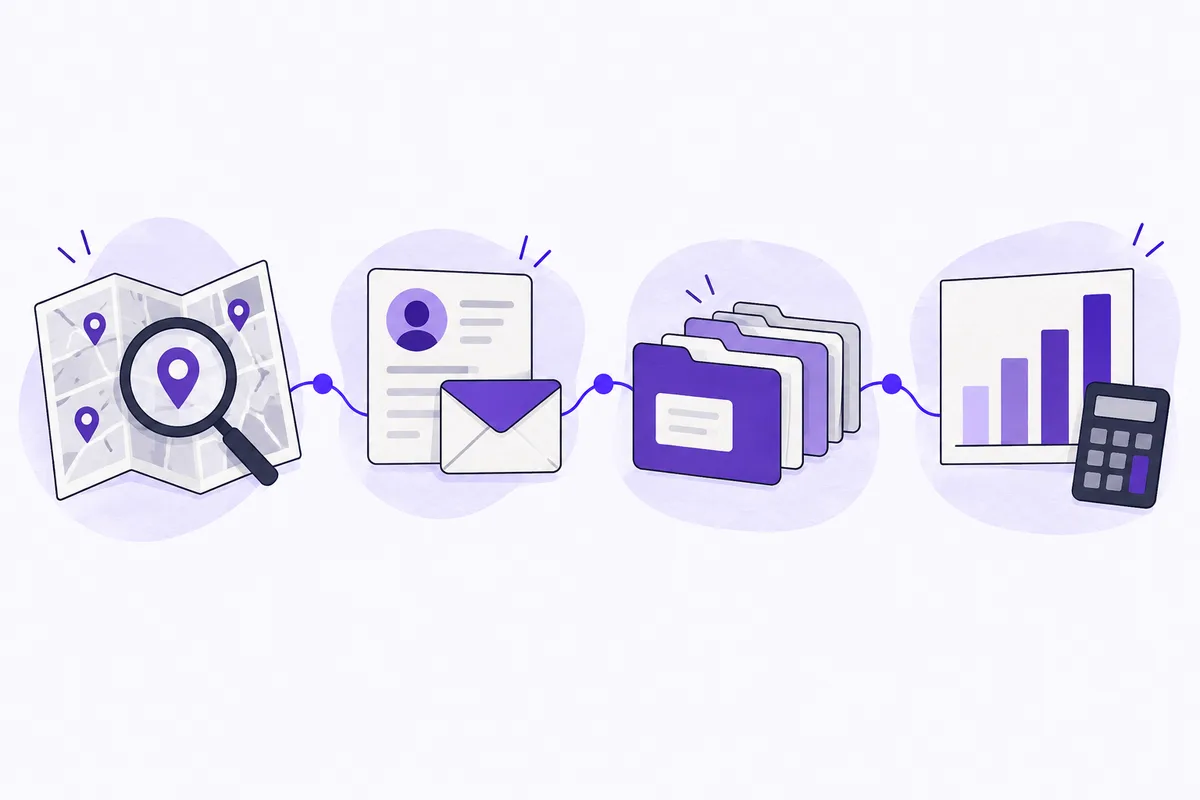
A useful buying shortlist can be small. The following examples cover different jobs; none replaces the others automatically.
Job | Example to investigate | What to establish before buying |
|---|---|---|
Discover businesses by category and location | Leadz | Relevant coverage, usable contact fields and the structure of an actual export |
Research professionals within target accounts | LinkedIn Sales Navigator | Whether the people and account filters match your audience |
Organize accounts, contacts and follow-up | HubSpot CRM | Import mapping, ownership and how existing records are updated |
Understand campaign visits to your website | Google Analytics | Consistent campaign labels and a separate record of enquiries and sales |
Business discovery. Leadz supports searches by category, state and city, with filters for available email, phone and website fields. Public category previews, such as the plumbing business directory, can help you assess the type of records before building a list. Its export dialog lets you choose columns. Where saved contact profiles are available, exports can include names, reported roles and LinkedIn profiles associated with email addresses. Those fields are optional evidence to review, not a promise that every business has a named buyer.
Professional research. LinkedIn documents separate lead and account searches in Sales Navigator, including role, geography and company attributes. That makes it a candidate when your question concerns a person within an account rather than simply which local businesses exist. Check the exact filters and any plan restrictions against LinkedIn's official filter definitions. A reported job title still needs interpretation: it does not establish buying authority for your particular offer.
Relationship management. A CRM becomes useful when several people need a shared history of who contacted whom, what happened and what should happen next. Evaluate it using a real account with more than one contact and an existing customer that must not enter a prospecting campaign. A feature list will tell you little about whether your team can find and act on that history.
Measurement. Google Analytics can show campaign traffic identified by tagged links. It does not replace your record of qualified conversations, proposals or collected revenue. Keep that distinction in the buying brief so the analytics demonstration does not substitute clicks for sales evidence.
Evaluate a sample you can inspect properly
Request a sample in your actual market and keep the inclusion rules constant across tools. If one sample contains only records with email and another includes every business, their completeness percentages are not comparable. Ask what was excluded before the sample was produced, whether it represents the purchasable dataset and when its fields were checked.
For each sampled record, examine the advertised business category, location and website. Note whether it appears to fit the offer, whether it duplicates an existing account and whether the contact route is useful. Keep “unknown” as an available result. A website you could not load during the review should not silently become either a confirmed match or a confirmed closure.
In an illustrative evaluation of 40 records, 28 fit the campaign, six are outside the service territory, four offer the wrong service, and two remain unresolved. The fit share is 28 divided by 40, or 70%. Keep that result attached to this sample's category, territory and selection method before considering how far it applies.
Next inspect contact coverage within the 28 suitable businesses. Finding an email address on a record is different from establishing that a message will reach an appropriate recipient. Similarly, a business phone can be useful even when it is not a personal direct line. The distinction between email availability and verification prevents these different measures from becoming one misleading “quality” score.
Use the contact sample evaluation worksheet to record the same checks for every candidate. Save a reason for each rejection. A tool with fewer total records may still supply more useful accounts in your particular territory, but the sample needs to demonstrate that possibility rather than the salesperson asserting it.
Test the export and CRM handoff early
An export button is only the beginning of a usable handoff. Open a sample file and check the header names, character encoding, blank values and representation of multiple contacts. Test a business with two email addresses and a person with more than one reported role. Decide how each will fit your CRM before buying a large file.
Leadz keeps one business per CSV row. Its human-readable person columns associate the value with an email address; the complete profile column retains a nested mapping. These fields should not be pasted indiscriminately into a CRM's single First Name or Job Title property. Select the contact you actually intend to approach, retain its relationship to the email address, and map the result deliberately. The business lead CSV field guide gives the field-level explanation.
HubSpot's import documentation, updated September 11, 2026, supports CSV and Excel files with headers mapped to properties. It also explains unique identifiers for updating records and avoiding duplicates, including record IDs and relevant email or company-domain fields. Use those requirements as an actual import test, not evidence that every export will import correctly without preparation.
In a trial, import a small reviewed batch, inspect it, then import an update to the same batch. Check whether the second import updates the intended records, creates duplicates or changes an existing value unexpectedly. Include one account already in the CRM. Confirm that the person responsible for follow-up can see the contact history and next action after the import.
For a multi-location business, agree whether the company record represents the parent organization or a particular location. A domain alone may not express the distinction your campaign requires. Keep a separate location reference when necessary.
Compare total working cost, including staff time
Subscription price is one input. Add the time required to review records, clean exports, resolve duplicates and maintain the workflow. Include usage limits, seats and the capabilities that require a different plan. Obtain a current quote for your intended use; introductory prices and another team's contract are poor planning assumptions.
Consider a hypothetical monthly comparison: Tool A costs $90 and requires eight hours of preparation; Tool B costs $180 and requires three hours. Valuing preparation time at $30 an hour gives a total of $330 for A and $270 for B.
The calculation only helps if the outputs are comparable. Tool B would not be the better choice if its shorter workflow excluded half the prospects you need. Compare the cost of a reviewed, usable batch with the same definition in both cases. Record cash spending separately from modeled labor cost so the team can see both affordability and time demand.
Check what happens after cancellation: whether your team can export its own notes, retrieve prior work and retain the records it is entitled to keep. Also check the practical consequences of adding a colleague or increasing volume. A tool that fits a one-person pilot may require a different arrangement once several salespeople need access.
Give setup work its own budget. Mapping the first import and documenting the workflow are not recurring costs in exactly the same way as reviewing each new batch. Separating them prevents the first month's learning effort from distorting every later comparison.
Run a pilot that follows accounts through the process
Choose a batch small enough to review and follow up personally. Keep the audience, offer and qualification rule stable while testing the tool. If you change the territory, script and contact channel at the same time, you will struggle to explain a better or worse result.
Before starting, record the accounts already known to the business, excluded customers, duplicate rules and ownership. Define a useful conversation in plain language. For an equipment supplier, it might mean a relevant company confirms the type of work it undertakes and agrees to discuss a suitable product. An automatic reply or request to stop contacting the company does not meet that definition.
During the pilot, record elapsed preparation time and the reasons prospects are rejected. Track whether follow-up tasks are completed and whether useful replies reach the right owner. A trial can fail because of list fit, awkward handoff or missing staff capacity. Those failures require different remedies.
For links sent as part of a campaign, agree consistent source, medium and campaign names. Google's campaign URL guidance explains how these parameters identify referred traffic in Analytics. Keep your sales outcome record alongside the traffic report; a tracked visit is not proof of a qualified opportunity.
Review progress after enough time for the planned follow-up, not immediately after sending the first message. The campaign measurement guide can help distinguish delivery, response and business outcomes. If your sales cycle is longer than the pilot, document the pending opportunities and their next steps rather than inventing a projected return from them.
Make the decision from the evidence you collected
Keep a short decision note with the sample results, unresolved limitations, recurring cost, setup work and the person responsible for maintaining the process. Use the tool-comparison worksheet to keep those findings together for each candidate.
Use a few conditions that can genuinely stop the purchase. Examples include an export that cannot preserve necessary contact relationships, coverage too sparse in the target territory, or a workflow that repeatedly creates duplicate outreach. Cosmetic preferences can influence the choice, but they should not outweigh a failure in one of these basic requirements.
If two candidates both work, choose the one the team can use consistently within its budget and capacity. Avoid buying another category of tool until the pilot shows what is missing. An existing CRM plus a carefully reviewed business source can be enough for a narrow campaign; a role-led enterprise campaign may need additional professional research.
A filled decision note could read: “Candidate A — rejected for this territory. Of 40 sample records, 28 matched our criteria; the rest were outside the territory, the wrong service or unresolved. The trial import also merged two branch locations that we need to assign separately. Reconsider only after we can preserve branch ownership through export and import. Operations lead to retest; no purchase approved.” This is an illustrative note, using the sample above, rather than a verdict on a named product.
That note gives the next reviewer a decision, evidence and a condition for reopening it. Write your own brief, test a comparable sample and follow one account all the way from discovery to assigned follow-up before committing.